I released my first game, Twinkle Stardust’s Catnap Chaos, just over a year ago. I love reading how other devs approach building their designs, so I wanted to document the design ideas behind my game here. Part of the reason it’s taken me so long to write this up is that I’ve been trying to think of a through line or major takeaway for this post, but in reality I don’t think there is one. Designing games is challenging, and a lot of the devil is in the details, especially if you are trying to avoid established genres and mechanics.
Overview
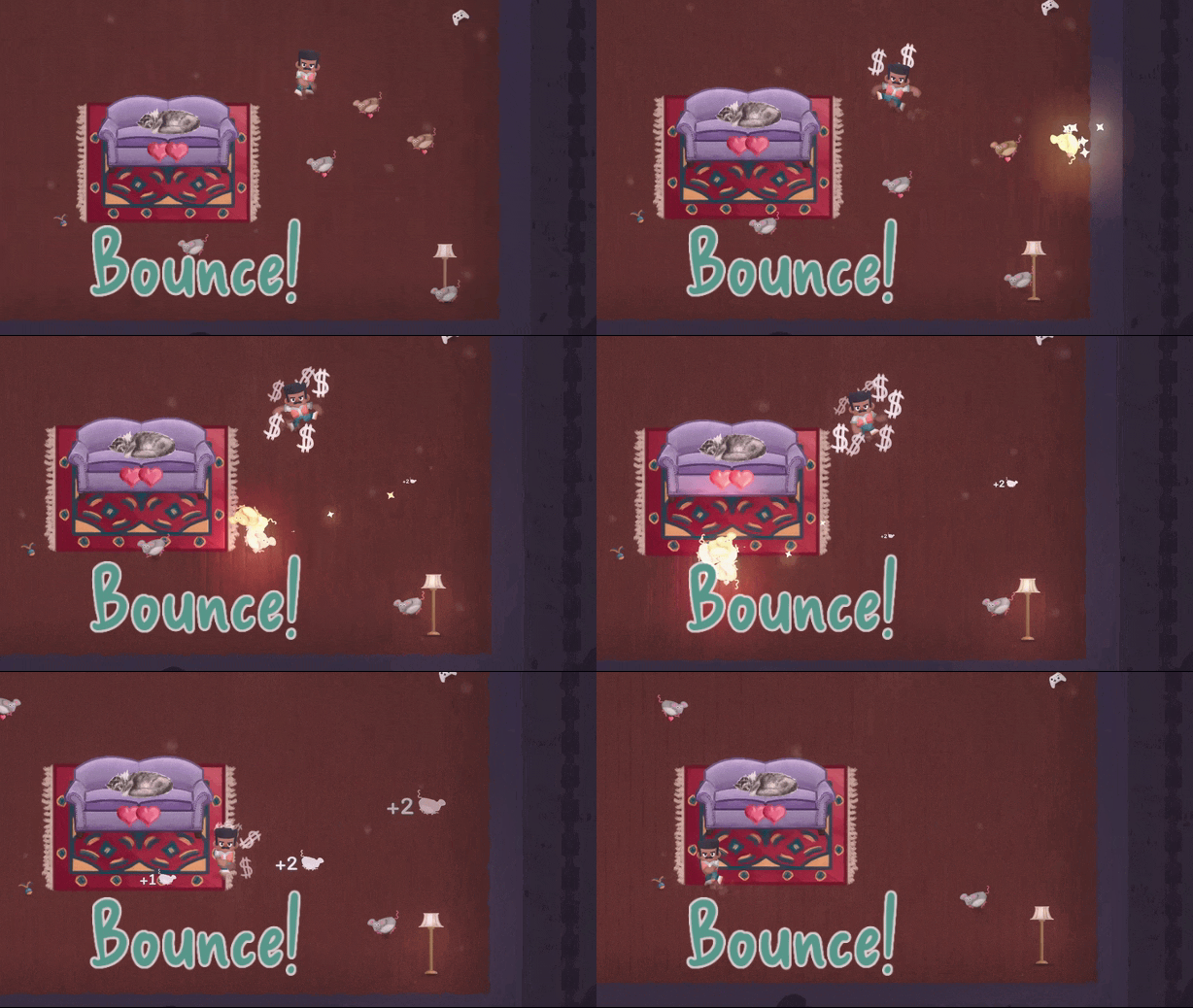
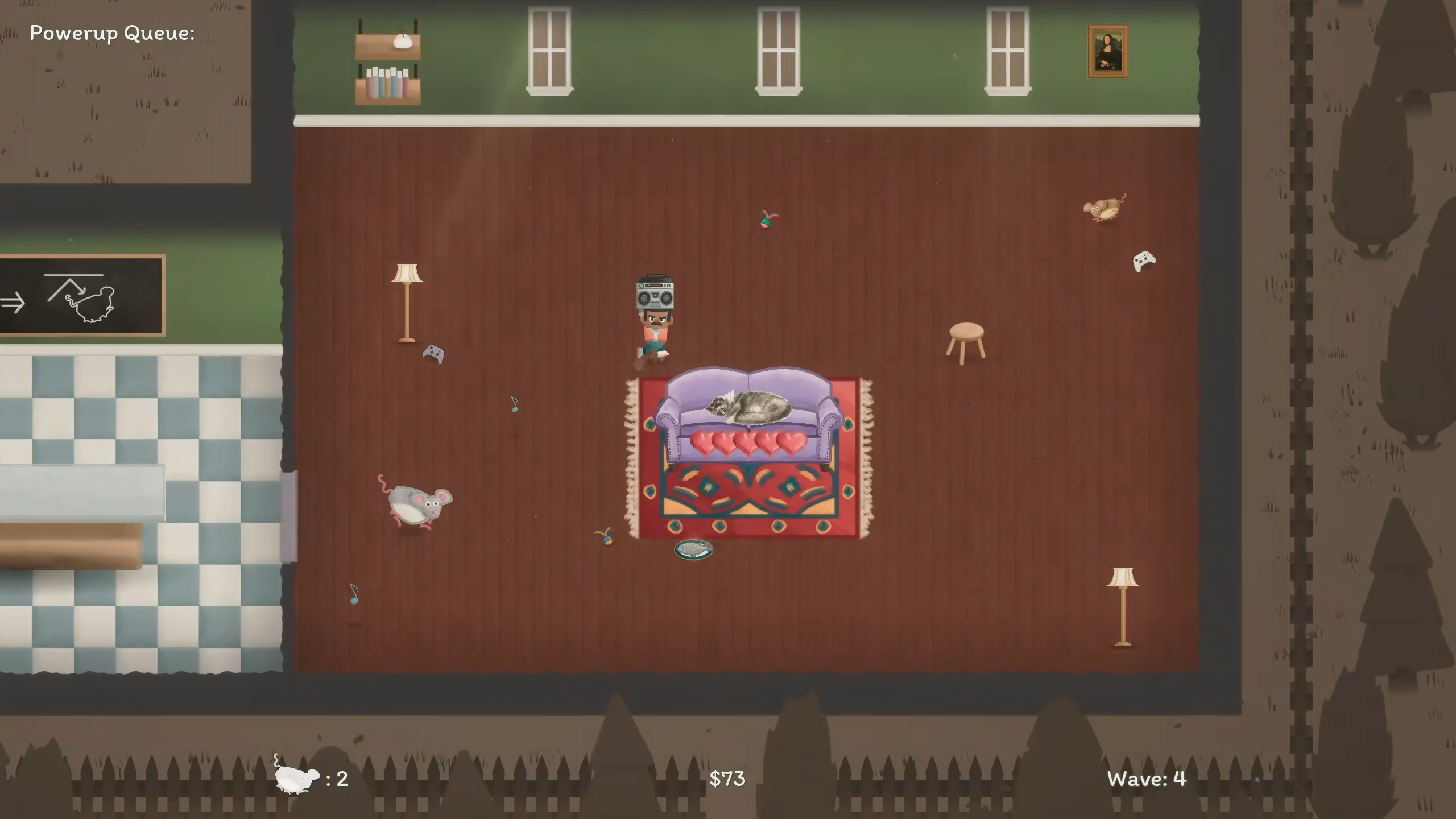
A brief description of Catnap Chaos, for those who haven’t played the game. In Catnap Chaos, you defend your cute sleeping cat from bothersome mice. If the mice disturb your cat too many times, the game ends. When you hit a mouse, it bounces around the screen and can hit other mice, causing even more mice to spawn. Clearing mice earns you currency to spend on powerups between waves of mice. There is a small but diverse set of potential powerups:
- Alarm Clock: Spawn an extra mouse if player picks it up, or adds a bounce to a mouse if it does
- Spider Web: Slow things down in an area
- Fan: Pushes mice and other powerups away
- Cheese: Moves around and attracts mice
- Robocat: Helps the player guard their cat
- Boombox: Spawns music notes that give the player money and a speed boost
- Magnifying glass: Makes the player or mice bigger
- Plate of fish: Needed to win the game
The initial goal of the game is to purchase 4 plates of fish.
Initial design
One of my favorite GDC talks of all time is Koster’s Practical Creativity. With Catnap Chaos, I wanted to create something unique but with a small scope. At the time, I was really impressed by the simplicity of Vampire Survivors, where you just move around while your character automatically attacks things, so I decided to start with a similar constraint to foster some creativity: movement only, but no player health and no bullets/weapons.
I had already decided the game was going to be about preventing your sleeping cat from disturbed, so moving health away from the player and onto your cat was a simple decision. Without weapons like Vampire Survivors, bumping into enemies to get rid of them also seemed straightforward.
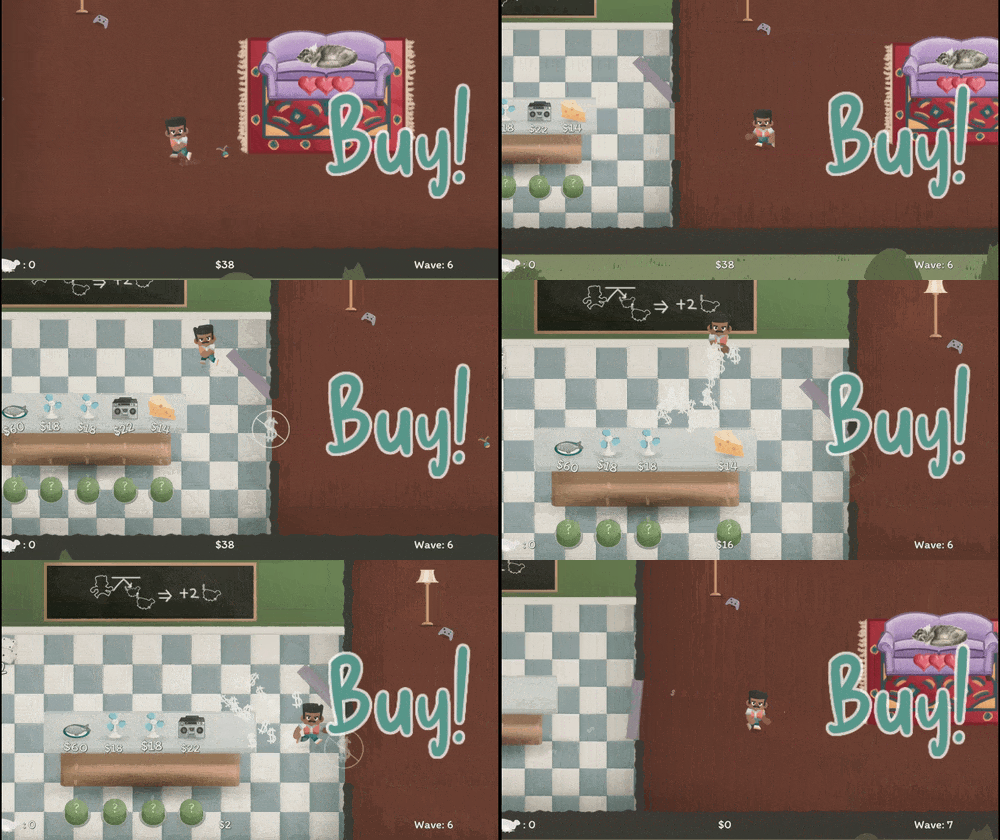
Inspired by games like Dome Keeper, I also wanted some kind of two-phase gameplay. It seemed like a nice way to add some variety and pacing without blowing up the scope. And there’s also the benefit of it being pretty simple to design around: things you do in one phase should effect the other. In Catnap Chaos, the two phases are:
- Wave defense / money acquisition
- Shopping / Powerup placement
The initial version played a lot differently than the final design. Each wave had a set time, and mice did not bounce around. The goal for the player was to bump as many mice as possible to earn money for powerups, some of which extended the time of the wave. I hoped the game would play like a mix of strategy and chaos, but during playtests it became clear that the amount of chaos completely overshadowed any strategic aspects.
Fixing things
Maybe there is a small takeaway here: in order to fix your design, you need to identify its problems. And in order to find problems, you need to have intent. I knew I wanted players to have room for strategic thinking, so I made a few major changes to the game.
- Removed the wave timer. The time pressure took away space for planning.
- Changed the mice spawning mechanics. Rather than constantly spawning mice throughout the wave, only a few mice spawn at the start.
Up until this point, the game actually still did not have one of its eventual core mechanics: bouncing mice off walls. The idea for it came initially from the animation of hitting a mouse: it would fly away into the distance. Eventually I thought, what if you could hit mice with other mice? That led to being able to also bounce mice off of walls, which felt perfect for the game. Instead of bumping into mice whenever possible, it forced the player to line up tricky shots bouncing the mice off of walls.
Tidbits
Some scattered thoughts on design elements I liked and didn’t like.
Mice are danger and currency
Making mice the primary threat and source of currency created some great dynamics. The player wants to spawn more mice to earn enough money to purchase fish, so they want to aim their shots carefully initially. If they are doing well, the number of mice on screen increases, forcing the player to track threats to their cat more carefully (at the cost of aiming good bounces). The difficulty naturally ramps up as the player is doing well, but it doesn’t feel unfair since the player is being rewarded.
Chonky mouse
As the player purchases fish, some bigger mice start to appear. These are a more discrete step up in difficulty: they need to be bumped against a wall to get rid of them. This forces players away from the center of the room, where it’s easiest to defend their cat. To compensate for the increased difficulty, the big mice are worth more money.
Economy
During initial prototyping, I realized that I didn’t want the player to be able to hoard wealth to beat the game. I thought of implementing some kind of wealth tax mechanic, but instead I landed on the player losing all unused money after the shopping phase. I felt it created an interesting challenge that many players might not be used to: how can you increase your per wave income, given that you can’t carry over money between waves?
The mouse bounce math
I’m proud of how the balance behind mouse spawning turned out. Mice in the game can bounce 0 or more times, depending on how many heart icons they have under them. If the player bumps a mouse directly, they earn a flat amount of money. But, if they bump a mouse into another mouse, an extra mouse spawns! And, each time they bounce a mouse off a wall before bumping it into another mouse, they increase the amount of mice spawned. So, for example:
- Player bumps a mouse into nothing → $2 gain, and no new mice
- Player bumps a mouse into another → $4 gain, and one new mouse.
- Player bumps a mouse off a wall into another → $4 gain, and two new mice.
The math for this gets pretty interesting. Each wave always starts with 6 mice that are able to bounce once. Any further mice they spawn don’t have any bounces. If the player simply bumps them all separately, they only get $12. But, if they hit one of them directly into the other 5, they would get $12 and have 5 extra mice to repeat the process. If they continue this process, they would end up with $12 + $10 + $8 + $6 + $4 + $2 = $42.
Or consider a more likely scenario: if they are aiming to hit one mouse into just one other one. Starting with 6 mice,
- they gain $4 and have 5 left
- they gain $4 and have 4 left
- they gain $4 and have 3 left
- …
- they end up with $22 (4 * 5 + 2 for the last mouse)
Things get complicated if you also consider bouncing the mice off walls, but these scenarios were enough for me to balance powerup costs.
Powerups
I priced the cheapest powerup precisely at $14, which requires getting rid of 7 mice. I was careful to do this because I wanted to indicate to the player that they should be trying to bump mice into other mice (in case they did not read the tutorial text). I really enjoy when a game gives players this kind of subtle feedback, so it felt good to be able to include it in Catnap Chaos. If a player only ever hits mice directly, they will get $12 each wave, be unable to purchase anything, and will lose that money each wave, ending up in the same unchanging economic situation if they don’t change their approach.
But, if the player earns enough to purchase a powerup, a positive feedback loop begins. Each powerup is brought into the game by an additional mouse, increasing the player’s earning potential in a wave. At first, a player might only be able to purchase a single powerup each wave. But, if they use that powerup and additional mouse well, it can snowball into two powerups each wave, and then three, and so on.
The goal powerup, a plate of fish, costs $70. Above average mouse bumping alone can’t get the player there, and relying on the slow buildup from powerups can take a while.
Timing powerup usage
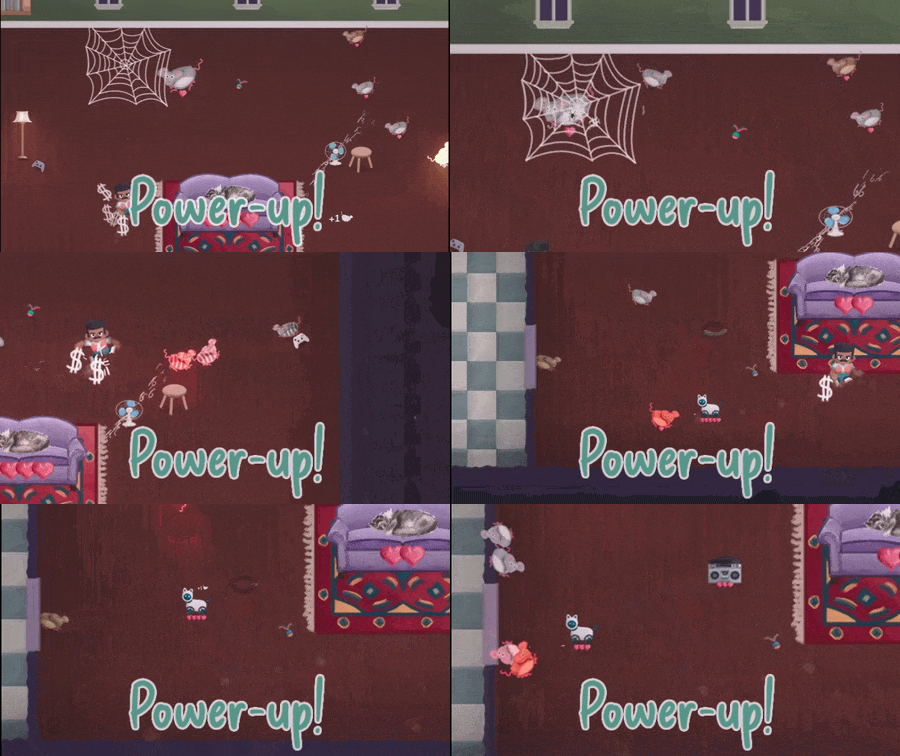
Because unspent money is not carried over between rounds, powerups also serve a powerful secondary purpose: a value store that can be carried between rounds. If a player is shooting to get $70+ in a single round, they might decide to accumulate powerups over a few rounds but not use them until they think they have enough to reach a high dollar amount that wave. This leads to some interesting dynamics during the round: the player wants to avoid picking up powerups (and also prevent mice from using them) while still trying to maximize their earnings and defend their cat.
Two paths to victory
After the bounce mechanic was added, I knew I wanted to support two general playstyles: accurate bouncing and clever powerup use.
By bouncing mice off walls (or other objects in the game!), an accurate player can get enough extra mice to sustain the wave as long as they maintain their accuracy. This kind of playstyle doesn’t need to be too clever with the powerups, and can just enjoy skillfully bouncing mice around.
Clever powerup use was more challenging to design for, and I’ll expand on that more in the Emergence section. In general, powerups were designed as mixes of 1) Economy, 2) Defense, and 3) Utility.
The fan powerup, for example, can be used both defensively to push mice away from your cat, or as a utility to position and combine powerups between waves.
Endgame challenge
Once the primary challenge (buying 4 plates of fish) is complete, the game enters an “endgame” mode. The intent for this subsequent mode was to require a certain level of bounce mastery of the player. Rather than waves starting with six mice, the waves now only start with two. However, these two mice have two hearts, so each can bounce twice. If the player bumps one into the other with no bounces, the most money they can get in a wave is $6. The player needs to be able to perform some trick bounce shots on these fast-moving mice to get the final item, a trophy, to beat the game.
The inclusion of this extra challenge felt like nice texture on top of the base game loop. The player is still performing the same actions, but the context feels just different enough.
Donuts
Many of Koster’s posts mention topology, so I definitely had it in mind even in laying out this small single rectangular level. Having your cat on a solid couch in the middle of the level ends up making the rectangle into a sort of donut, making it a little more time consuming for a player to go from one side of the room to the other. To further add wrinkles, most items and enemies don’t collide with the center couch, which can lead to some tense moments when a mouse is closing in and the player needs to move quickly to reach it in time.
If a mouse has hearts, it can also bounce off the couch as if it was a wall. This can sometimes work in the player’s favor, as it can shorten the total path of a trick shot. But it can also act as a hindrance when the player needs to bump a mouse on the other side of the couch.
The AI Trap
I’m sure this advice is common, but it was nice to experience it firsthand: complicated AI isn’t always better. In the first version of Catnap Chaos, I implemented a tunable mixture of behaviors for mice that resulted in each mouse moving with pretty unique behavior. But the result was that movement became essentially unpredictable to the player, so all mice ended up being treated the same anyway. And worse, I didn’t want players to have to spend time observing each mouse to be able to play strategically.
So I simplified things. Rather than a complicated mixture of behaviors, I chose three simple behaviors and assigned each to a separate mouse visual:
- Gray mouse: move in straight lines
- Brown mouse: stand still, or follow nearby mice
- Thief mouse: move towards powerups to steal them, then run away to the edge of the room
The predictable movement makes it possible for the player to make plans, and the distinct behavior makes the player treat each kind of mouse differently.
Thief mouse balancing loop
The thief mouse turned out to be a great balancing tool. Instead of spawning the mice completely at random, I chose to scale the number of thief mice depending on the number of powerups present. It can be tough for the player to keep track of things when there are too many powerups in the room, so thief acts as a resource sink. They also introduce another risk-reward dynamic: does the player risk saving one of their powerups from being stolen but leaving their cat undefended?
Emergence
Emergence can sometimes feel like a loaded word in game design. In my case, I just wanted to design things in a way that allowed for scenarios I didn’t intend. The main way I attempted to do this was by taking inspiration from arguably the most emergent genre: the immersive sim.
Now clearly I wasn’t trying to make a game like Deus Ex, and I didn’t have water puddles or electricity, but I wanted to have some consistency in rules that could create emergent gameplay.
One way I tried to do this was via powerups: all powerups can interact with the player, mice, or any of the “moving” powerups (Robocat, cheese). The magnifying glass will make any unit that picks it up bigger, not just the player. The spider web will slow down every unit, even bumped mice flying through the air. The powerups that can be picked up (fan, boombox, spider web) can be picked up by any unit.
Another way I tried to do this was via the bouncing mice. They mainly bounce of walls, but they can also bounce off of powerups that are on the field, as well as the player. I didn’t intend for it, but this led to a nice core strategy that I discovered in testing: the player can try to “ping-pong” the bouncing mice between them and powerups to rack up a large combo spawn.
Powerup Combos
I think my biggest design mistake was in how I designed powerup combos. When two powerups touch, they fuse to create a powered up version that combines their effects. But, the combined effect is bespoke, so I had to design and implement features for many pairs of powerup combinations. And, because the combined effects could be pretty esoteric, I had to create an encyclopedia feature to the game to explain these various powerup combos.
Tutorial
A lot of players don’t like to read tutorial text. I knew this, because I’m one of those players. But, I did it anyway. I struggled to think of effective ways to indicate the bounce ↔ spawn mechanics, but it seemed difficult to describe even in plain English. If I had more time, I would’ve liked to include some text-free tutorial that forced the player to understand this rule.
The End
Well, I think that’s it! I would love to see more design retrospectives on games, so I will try to write more of these. If you enjoyed reading this, I’d definitely encourage you to give Catnap Chaos a try. I still play a few rounds from time to time, and I’m really proud of the game. Carefully aiming bounces is a fun core mechanic, and coming up with strategies I didn’t design is super satisfying.
Comments
With an account on the Fediverse or Mastodon, you can respond to this post. Since Mastodon is decentralized, you can use your existing account hosted by another Mastodon server or compatible platform if you don't have an account on this one. Known non-private replies are displayed below.